Blog
Keep up to date on the newest trends and threats in IT on this page!
What is a VPN and how can it help your business?
Work from home is a reality of many workplaces, even though the worst of the COVID pandemic is past us. Many companies have went to cloud based solutions for team collaboration and file sharing such as Microsoft Teams, Microsoft Sharepoint, Google Meet, Google Drive, Slack, and more.
But what if you already have your files on a server on-premise? Do you really want to upload everything from there to a cloud based solution? Not only would that take time to do, but then you have to worry about the security level of the cloud based solution as well as the configuration of your backup services to include the cloud based solution (typically winds up costing you more).
This is where a business Virtual Private Network or VPN can come into play. A VPN is a service where your remote locations or workers can access your internal network resources as if they were actually on-premise. A VPN works by creating a secure encrypted tunnel between your on-premise server and the remote location or worker. This is done through special software that is provided by the manufacturer of your business firewall device (Sonicwall has NetExtender, Sophos has an SSL VPN Client, Cisco has AnyConnect, etc.). Most firewalls have limitations to the number of concurrent VPN connections you can establish without having to pay more, so it is important to know your hardware.
Not sure if your system can handle a VPN or want to increase your VPN capabilities? Contact Pegler Technology Services for a free consultation today!
Ransomware PSA
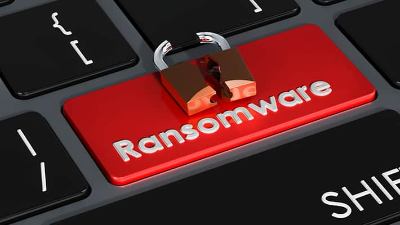
Businesses fall victim to ransomware attacks every 44 seconds! Make no mistake, this is a billion dollar industry. How often do you back up your data? How long would it take to restore everything if it's been months since your last backup? Could you even truly restore everything if it's been months since your last backup?
One way to mitigate the risk of ransomware is to have a Business Continuity & Disaster Recovery Plan! Pegler Technology Services can help with making and implementing said plan. We are just a quick email or phone call away.
Weak Security Controls and Practices
The United States Government periodically releases information about recent influx of or discovery of new threats to Cybersecurity. These are call Joint Cybersecurity Advisories.
In one CSA, dated May 2022, the US Government helped identify the most common weak security controls and practices based on information they gathered from multiple sources. The most common threats that they found were as follows:
- Multifactor Authentication (MFA) is not enforced
- Incorrectly applied network privileges or permissions
- Errors within network Access Control Lists
- Software is not up to date
- Use of default configurations with network devices
- Use of default usernames and passwords with network devices
- VPN lacks sufficient controls to prevent unauthorized access
- Strong password policies are not implemented
- Misconfigured cloud services
- Unnecessary open ports on computers or servers
- Failure to detect or block phishing attempts
- Poor endpoint detection and response
While not every item can be eliminated as a threat vector, a good IT team can eliminate a majority of them and mitigate the rest to minimize the risk to your data and assets. If you do not have an IT Team or would like to supplement your current team, Pegler Technology Services can help! Additional information on how we can eliminate or mitigate the above risks is just a quick email or phone call away.
What is Cloud Computing?
In early IT, if you wanted a service, you had to host it on a server at your company location. This model was very cost prohibitive and not very flexible. Servers tend to cost in the thousands of dollars and have set capabilities. If you suddenly get an influx of requests for your capability, the server would be overwhelmed and your service or network would respond sluggishly until the influx of requests subsided.
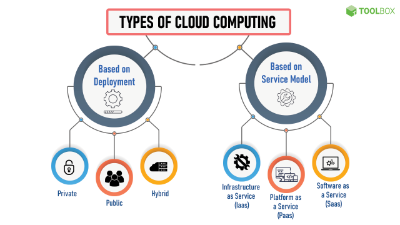
Cloud computing is a way to avoid that. With cloud computing, you pay someone else to host your server or service and your end users connect to that server or service. If there is an influx of demand, the server or service can be expanded as needed and shrunk back down once the demand has subsided.
Several different types of cloud computing are available depending on the level of responsibility you want to have for yourself or your IT team. Infrastructure as a Service literally just provides you with a server. The Operating System and software that goes onto the server is completely your responsibility. Platform as a Service provides you with a server and an Operating System. The software that goes onto the server is your responsibility. Last, but definitely not least is Software as a Service. This is essentially you getting access to software without having to host it on your computers. Think Microsoft Office. Instead of having to host it on your computers and upgrade every time a new version comes out, you pay a monthly fee and have access to it from any web enabled computer. Of course, you can still download it to your computer if you so desire. Other Software as a Service examples include antivirus solutions.
To learn more about Cloud Computing, you can visit http://www.spiceworks.com/tech/cloud/articles/what-is-cloud-computing/
What is Phishing?
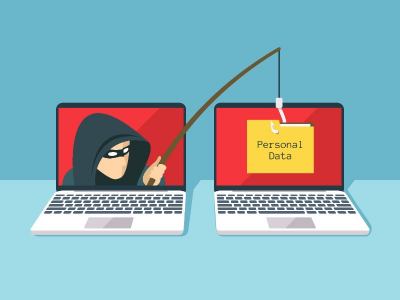
Phishing is a common tactic used by malicious actors to get your personal information or even potentially steal money from you! Phishing is commonly performed via email with sophisticated techniques, such as an email purporting to be your bank's Fraud department containing a link to validate recent transactions. How can you truly identify if this is phishing or a legitimate email from your bank? One way you can verify this is to open the email and look at the email address it is coming from. You would expect something@yourbank.com. If you see anything different, delete the email or click on report Spam. Another way you can identify that it is a phishing attempt would be to hover your mouse over the link. It should show somewhere on the screen the web address the link points toward. If it does not point toward your bank, it is a phishing attempt and the same steps detailed above need to be taken. Your best protection against phishing is to be alert to new threats and methodologies that malicious actors are taking. More information about phishing can be found at https://www.phishing.org